
The world of AI assistants is undergoing a revolutionary transformation. While chatbots like Claude and ChatGPT have become incredibly sophisticated at understanding and generating text, they've been limited to just that—text. But what if your AI assistant could show you interactive dashboards, let you fill out forms, display live data visualizations, or even play videos? That's exactly what MCP Apps makes possible.
What is MCP and Why Does It Matter?
Before diving into MCP Apps, let's understand the foundation: the Model Context Protocol (MCP).
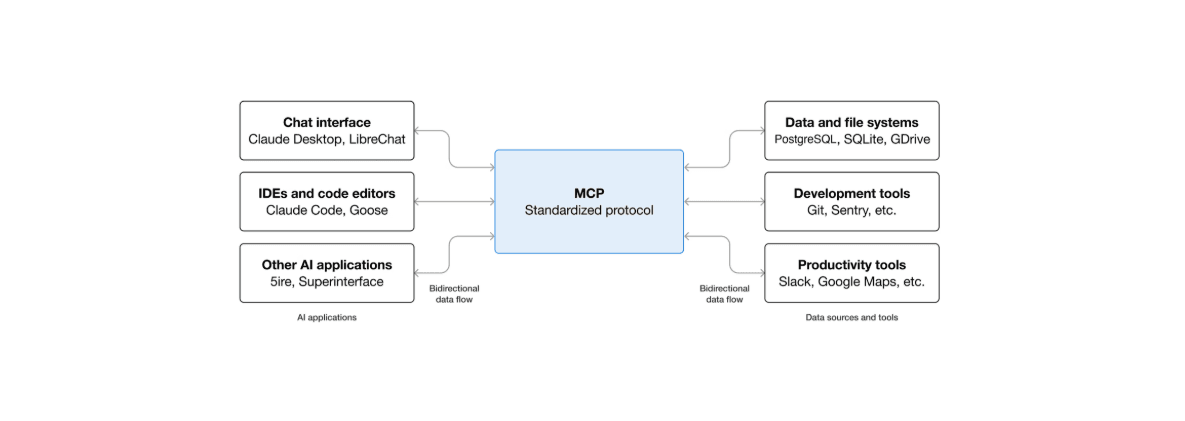
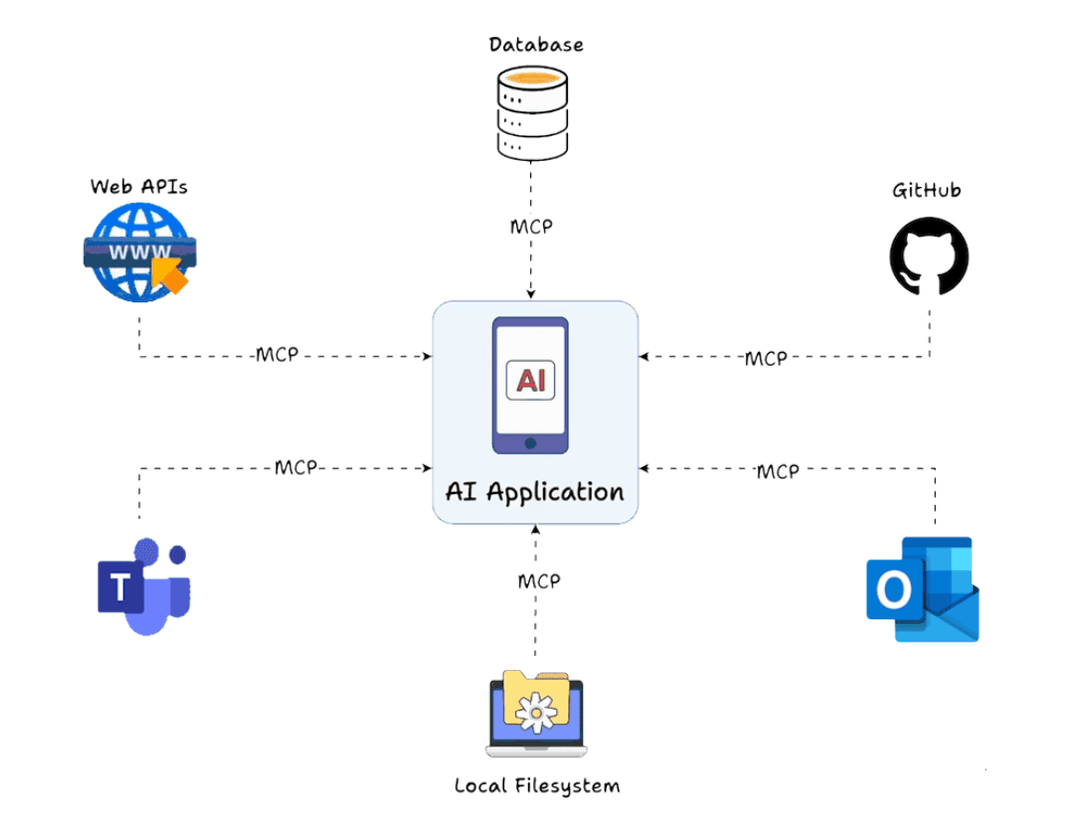
Think of MCP as a universal adapter for AI applications. Just as USB-C provides a standardized way to connect electronic devices, MCP provides a standardized way to connect AI applications to external systems. This open-source protocol, introduced by Anthropic in November 2024, enables AI assistants to interact with data sources, tools, and services seamlessly.
The Three Core Components
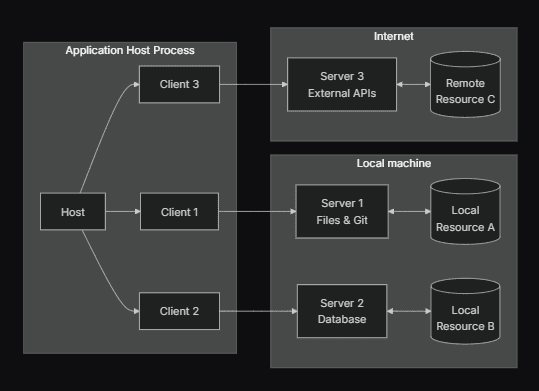
MCP operates through three essential components:
- Host Application: The AI-powered application where users interact (like Claude Desktop, ChatGPT, or Cursor IDE)
- MCP Client: Integrated within the host to manage connections and translate requests
- MCP Server: Exposes tools, data, and capabilities from external systems
This architecture means developers can build tools once and have them work across multiple AI platforms, rather than creating custom integrations for each one.
Short explainer showing how MCP connects AI to external tools
The Problem MCP Apps Solves
Imagine asking an AI assistant about your sales data. Traditionally, you'd get something like this:
Q2 Sales by Region:
- North: $1.2M (up 15%)
- South: $980K (down 3%)
- East: $1.5M (up 22%)
- West: $1.1M (up 8%)
That's useful, but it's just text. You can't click on regions to drill deeper. You can't filter by product category. You can't visualize trends over time. Every question requires another back-and-forth exchange with the AI.
This is where MCP Apps changes everything.
What Are MCP Apps?
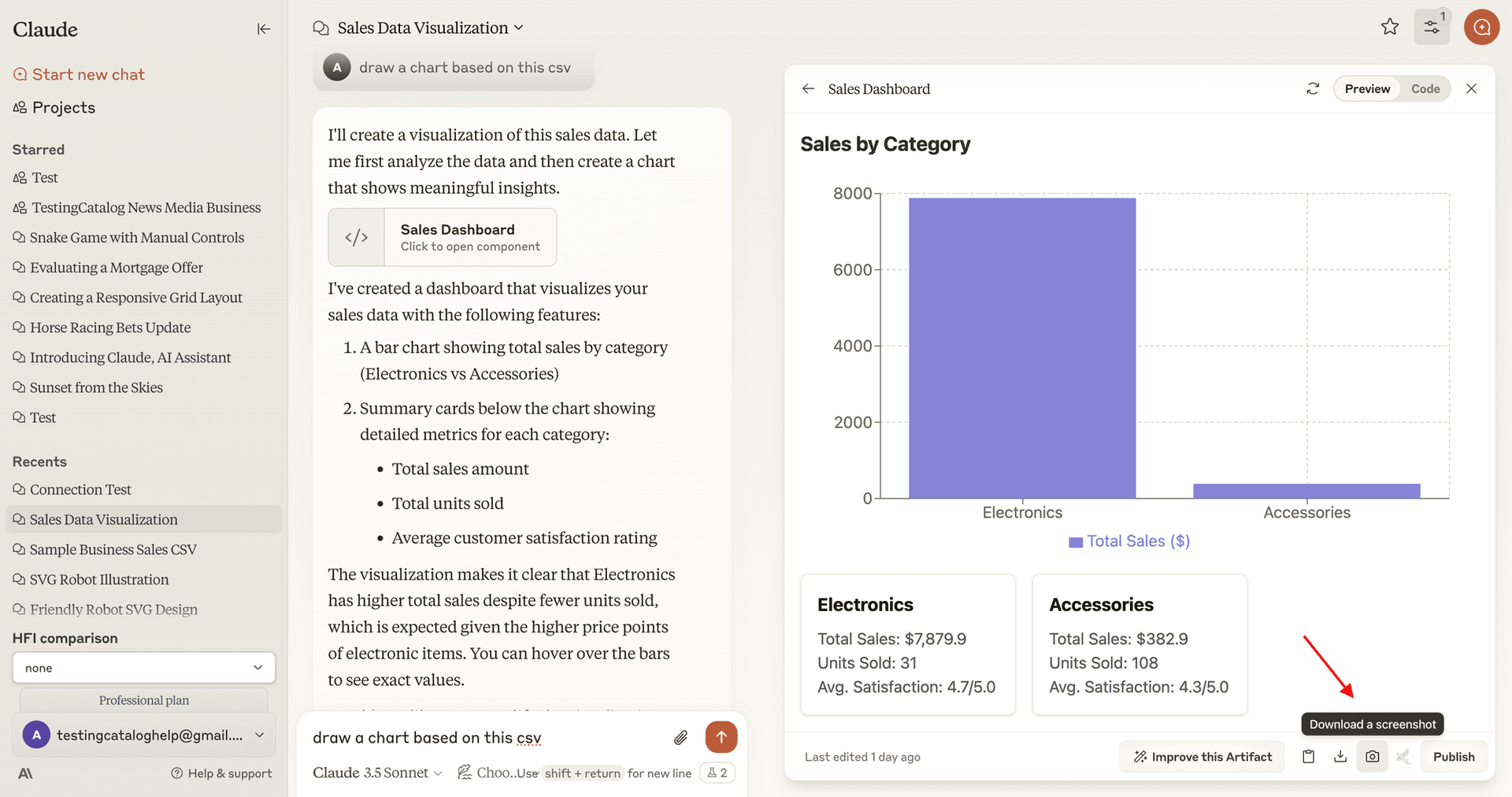
MCP Apps is an official extension to the Model Context Protocol that enables AI assistants to display interactive user interfaces directly within conversations. Announced in January 2026, it's the result of collaboration between Anthropic, OpenAI, and the MCP-UI community.
Instead of just returning text, MCP servers can now deliver:
- Interactive dashboards with filters and drill-down capabilities
- Forms with dependent fields and validation
- Data visualizations like charts, maps, and graphs
- Media viewers for documents, images, and videos
- Real-time monitoring tools with live updates
- Multi-step workflows with visual progress
How It Works
The process is remarkably straightforward:
- Declaration: Your MCP server declares a UI resource (like an interactive dashboard) using a special
ui://URI - Attachment: The UI resource is attached to a tool through metadata
- Tool Call: When the AI needs to use that tool, it calls your server
- Rendering: The host application fetches the UI resource and displays it in a secure, sandboxed iframe
- Interaction: Users interact with the UI directly, while the AI remains aware of what's happening
Real-World Use Cases
MCP Apps enables powerful experiences across industries:
E-Commerce and Shopping
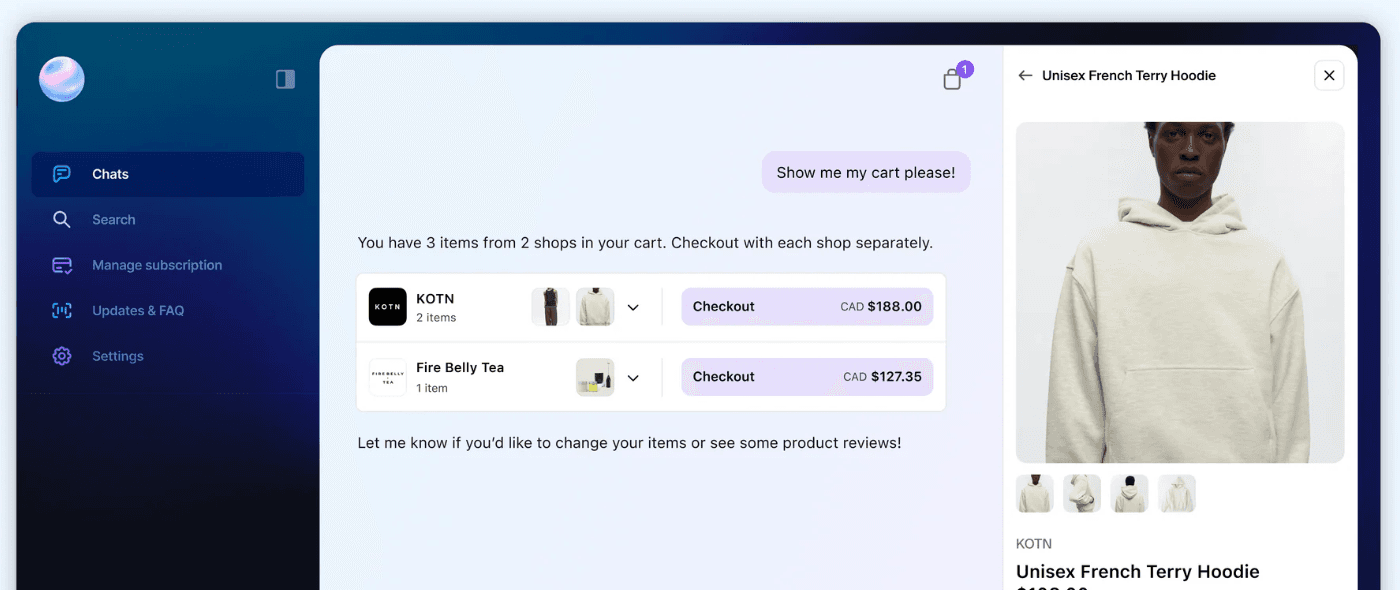
Companies like Shopify are using MCP Apps to create rich product displays within AI shopping assistants. Instead of describing products in text, users see actual product cards with:
- Image galleries they can swipe through
- Color and size selectors
- Bundle configurations
- Add-to-cart functionality
Data Analytics and Business Intelligence
Sales teams can interact with live dashboards without leaving their AI conversation:
- Filter by date ranges, regions, or product categories
- Drill down into specific accounts or deals
- Export reports with a single click
- See real-time updates as data changes
IT Operations and DevOps
System administrators leverage MCP Apps for:
- Real-time server health monitoring
- Deployment configuration wizards
- Log viewing with syntax highlighting
- Infrastructure management interfaces
Document Review and Collaboration
Legal and compliance teams can:
- View PDFs inline with highlighted clauses
- Approve or flag sections with visual markers
- Compare document versions side-by-side
- Navigate complex documents with interactive tables of contents
Creative Tools
Developers have built MCP Apps for:
- 3D model viewers (using Three.js)
- Interactive maps (with CesiumJS)
- Shader effect visualizations
- Music and video players
- QR code generators
How to Get Started with MCP Apps
For Users: Installing MCP Servers
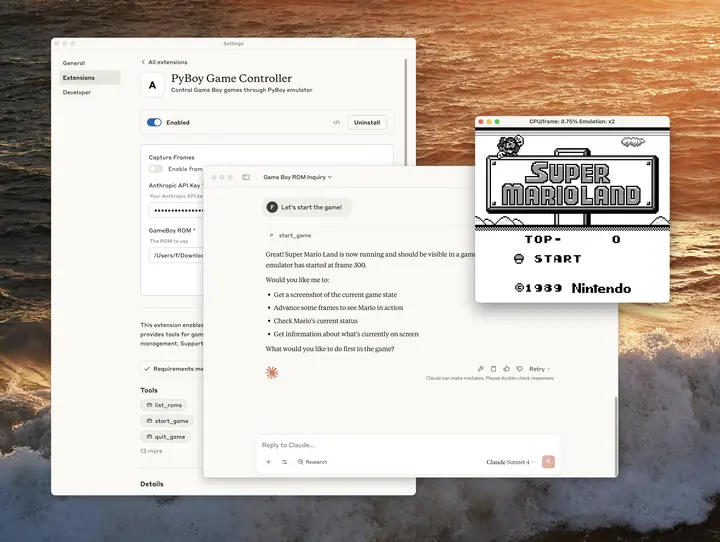
The easiest way to start using MCP Apps is through Claude Desktop, which now supports one-click installation via Desktop Extensions.
Method 1: Desktop Extensions (Recommended)
- Open Claude Desktop and navigate to Settings > Extensions
- Click "Browse extensions" to view available servers
- Click on any extension you want to use
- Click "Install" and follow the prompts
- Restart Claude Desktop
That's it! The extension is now available for Claude to use.
Method 2: Manual Configuration
For more advanced users or custom servers:
- Access Claude Desktop settings from the system menu
- Navigate to the "Developer" tab
- Click "Edit Config" to open
claude_desktop_config.json - Add your MCP server configuration:
{
  "mcpServers": {
    "my-server": {
      "command": "npx",
      "args": ["-y", "@my-org/my-mcp-server"]
    }
  }
}
- Save the file and restart Claude Desktop
- Look for the MCP indicator (🔨) in the chat input box
Quick tutorial showing the manual configuration process
For Developers: Building MCP Apps
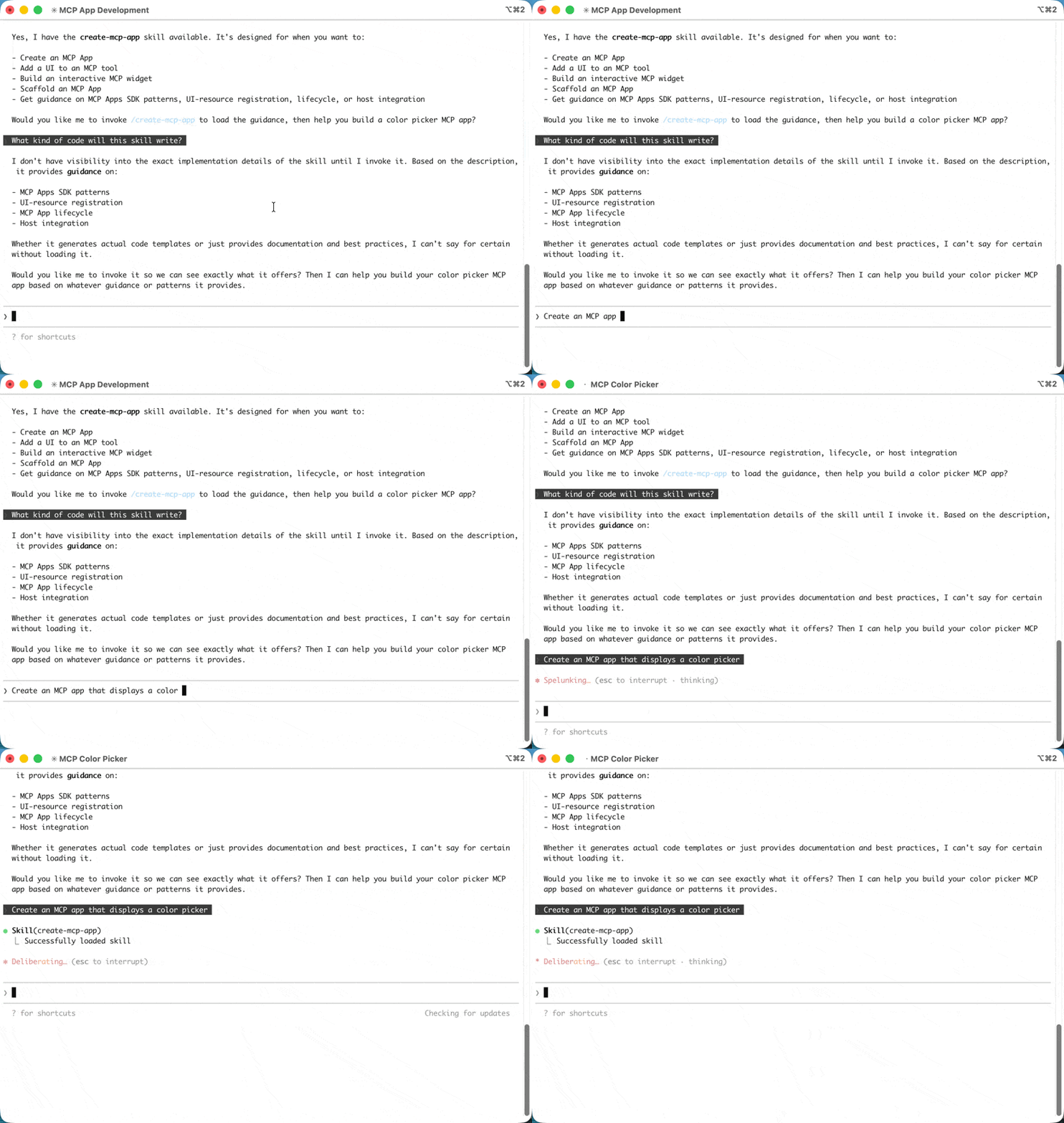
Creating your own MCP App involves three main steps:
1. Set Up Your Development Environment
# Create a new project
npm init -y

# Install the MCP SDK
npm install @modelcontextprotocol/sdk @modelcontextprotocol/ext-apps
2. Create Your MCP Server
import { McpServer } from '@modelcontextprotocol/sdk/server/mcp.js';
import { registerAppTool, registerAppResource } from '@modelcontextprotocol/ext-apps/server';

const server = new McpServer({
  name: 'my-app-server',
  version: '1.0.0'
});

// Define your interactive UI
const dashboardUI = {
  uri: 'ui://my-app/dashboard',
  content: {
    type: 'rawHtml',
    htmlString: `
      <div id="dashboard">
        <h2>Sales Dashboard</h2>
        <div class="charts">
          <!-- Your interactive content -->
        </div>
      </div>
    `
  }
};

// Register the UI resource
registerAppResource(server, 'dashboard', dashboardUI.uri, {},
  async () => ({ contents: [dashboardUI] })
);

// Register a tool that uses this UI
registerAppTool(server, 'show_dashboard', {
  description: 'Display interactive sales dashboard',
  _meta: { ui: { resourceUri: dashboardUI.uri } }
}, async (params) => {
  return { content: [{ type: 'text', text: 'Dashboard loaded' }] };
});
3. Test Your MCP App
Use the MCP Inspector or connect directly to Claude Desktop to test your implementation:
# Start your server
node server.js

# Or use the MCP Inspector for debugging
npx @modelcontextprotocol/inspector node server.js
Developer walkthrough building a simple MCP App from scratch
Security Considerations
MCP Apps run in carefully sandboxed environments to ensure safety:
- Iframe Sandboxing: All UI content runs in sandboxed iframes with restricted permissions
- Predeclared Templates: Hosts can review HTML content before rendering
- Auditable Communication: All UI-to-host messages are logged through JSON-RPC
- User Consent: Hosts can require explicit approval for UI-initiated actions
These layers create defense-in-depth protection against malicious servers while preserving the flexibility developers need.
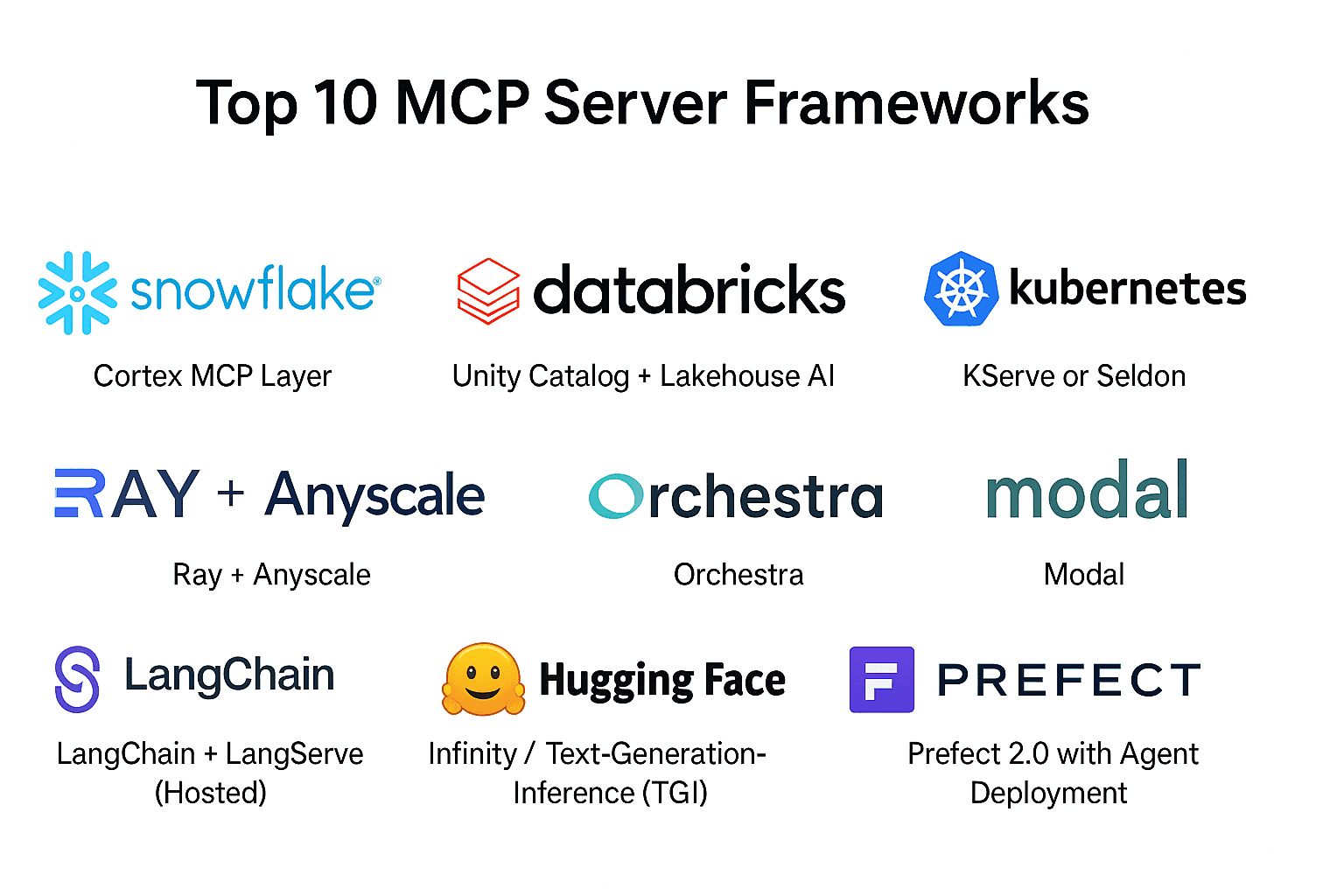
Popular MCP Servers and Apps
The MCP ecosystem is growing rapidly. Here are some notable servers:
Official and Community Servers
- GitHub: Manage repositories, issues, and pull requests
- Google Drive: Access and search your Drive files
- Slack: Send messages and manage channels
- Puppeteer: Automate browser interactions
- Postgres: Query and manage databases
- Git: Perform version control operations
- Stripe: Create invoices and manage payments
- Perplexity: Add web search capabilities
Specialized MCP Apps
- Weather visualizations with interactive forecasts
- Seat selection interfaces for booking systems
- Font explorers for typography work
- 3D modeling tools integrated with Blender
- Video players with custom controls
The Future of MCP Apps
MCP Apps represents a fundamental shift in how we interact with AI assistants. Rather than treating AI as purely conversational, we can now build hybrid experiences that combine natural language with the precision and interactivity of traditional UIs.
What's Coming Next
The MCP community is actively working on:
- Native widget support beyond HTML
- Richer media types and formats
- Enhanced authentication mechanisms
- Better discovery for finding MCP servers
- Performance optimizations for complex UIs
Why This Matters
MCP Apps doesn't just make AI more powerful—it makes AI more practical for real-world work. By letting AI leverage the visual, interactive elements we're already familiar with, it removes friction and enables workflows that simply weren't possible before.
Imagine an AI assistant that doesn't just tell you about your options but shows you a configuration form. One that doesn't describe data trends but displays interactive charts you can explore. One that doesn't list products but presents them in familiar e-commerce interfaces.
That's the promise of MCP Apps, and it's available today.
Getting Started Today
Whether you're a user looking to enhance your AI assistant or a developer wanting to build the next generation of AI-powered tools, MCP Apps provides the foundation you need.
Next Steps for Users
- Download Claude Desktop from claude.ai/desktop
- Explore the extensions directory
- Install servers that match your workflow
- Start experiencing interactive AI
Next Steps for Developers
- Review the official documentation at modelcontextprotocol.io
- Explore example implementations in the ext-apps repository
- Join the MCP community forums
- Build and share your own MCP Apps
Additional Resources
- Official MCP Documentation: https://modelcontextprotocol.io
- MCP Apps Specification: https://github.com/modelcontextprotocol/ext-apps
- MCP-UI Community: https://mcpui.dev
- Claude Desktop: https://claude.ai/desktop
- Community Examples: https://github.com/modelcontextprotocol
Last updated: January 2026